

Click More info, then Run anyway.
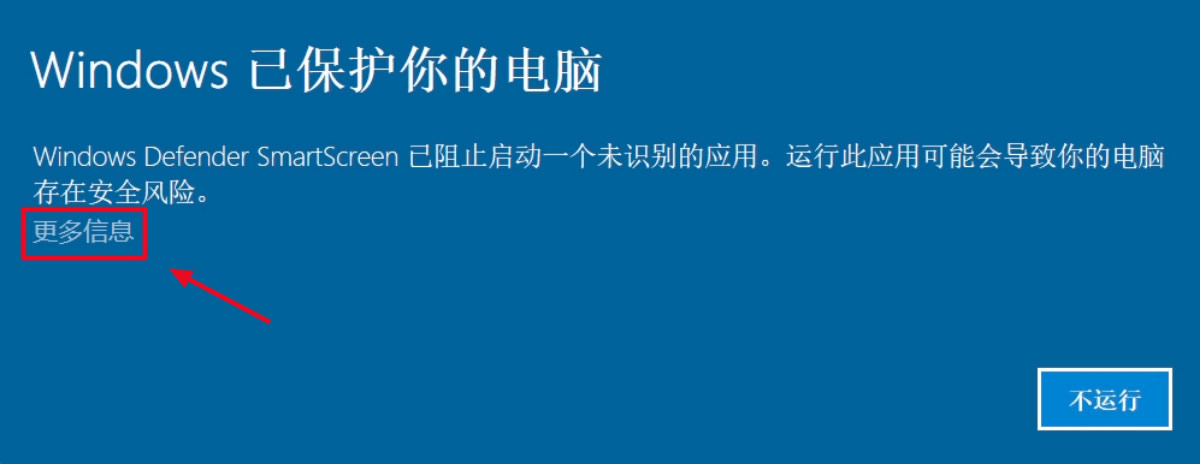
1. Click More info.
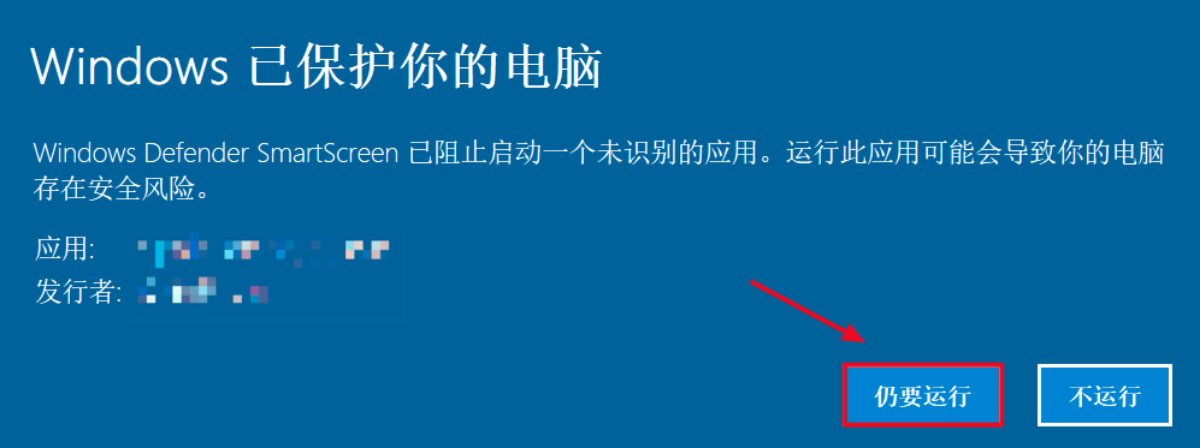
2. Click Run anyway to open SKY SCRM.
Open Windows Settings, Update & Security, Windows Security, then App & browser control. Turn off the three SKY SCRM-related options to open the application.
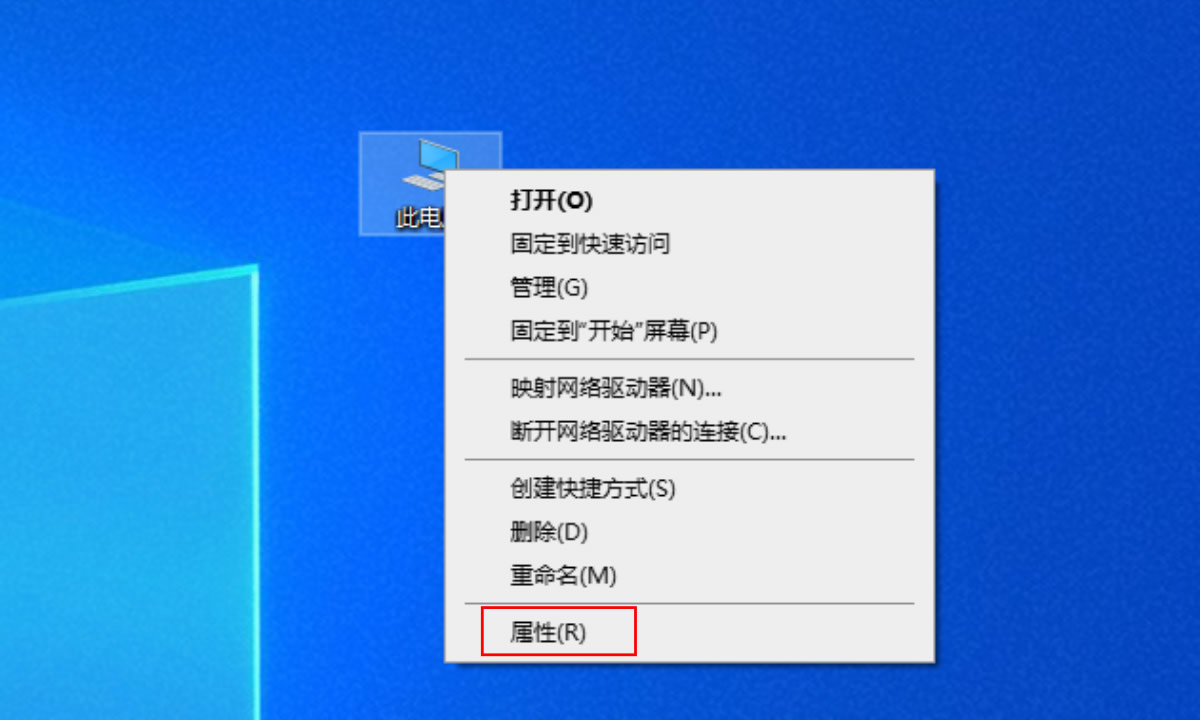
1. Right-click This PC on the desktop and select Properties to open Settings.
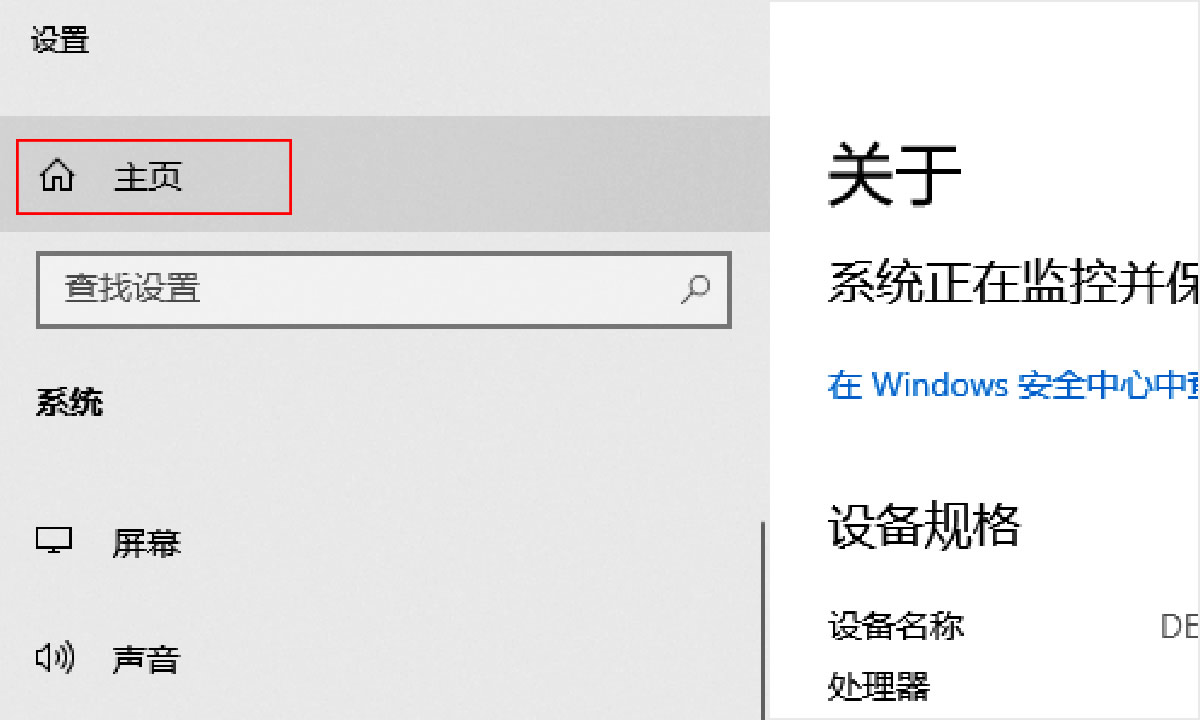
2. Click Home to open Windows Settings.
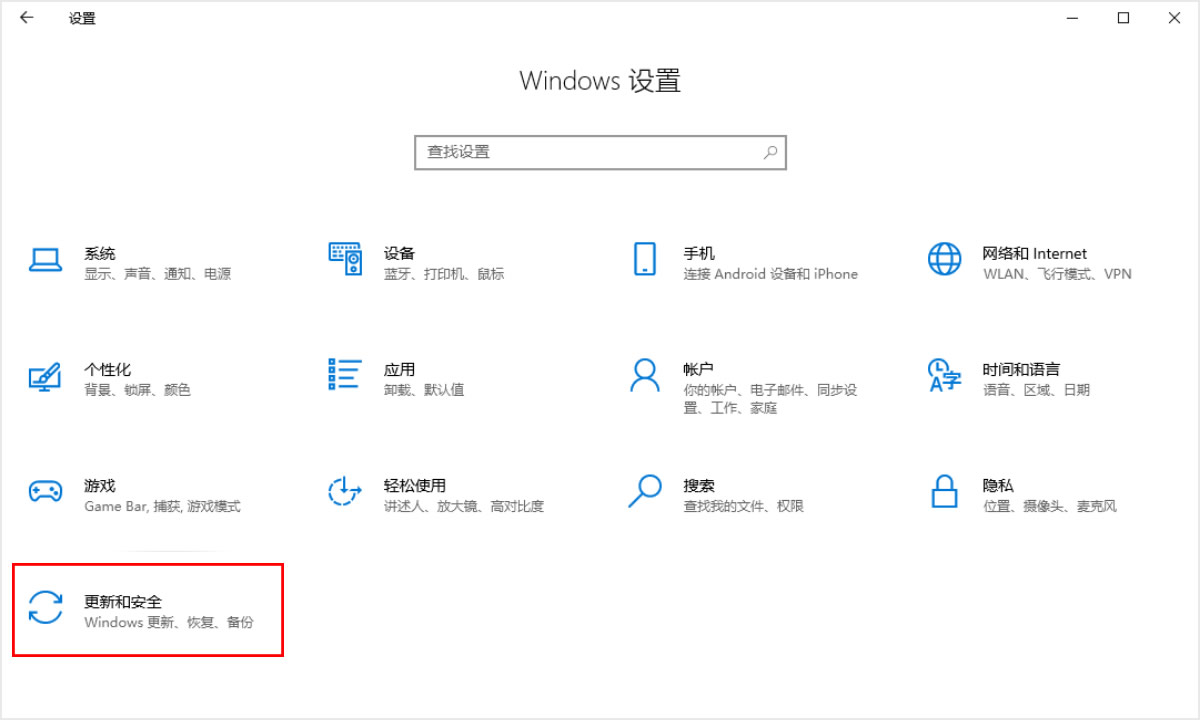
3. Click Update & Security.
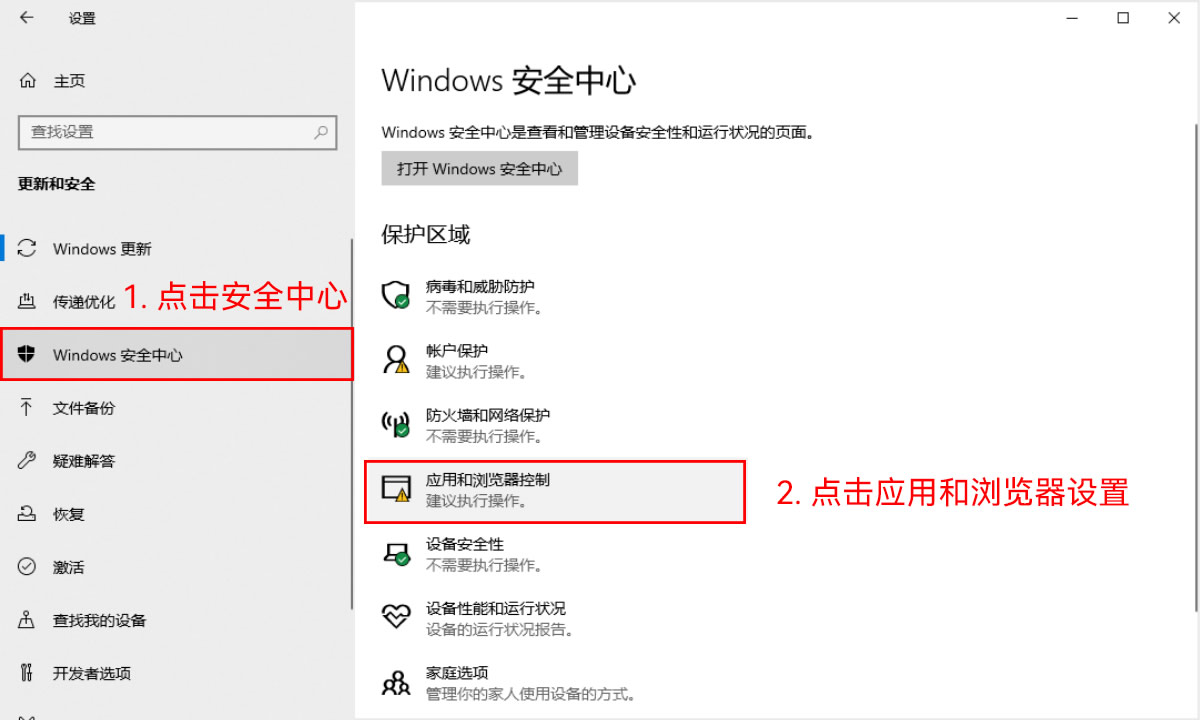
4. Open Windows Security and select App & browser control.
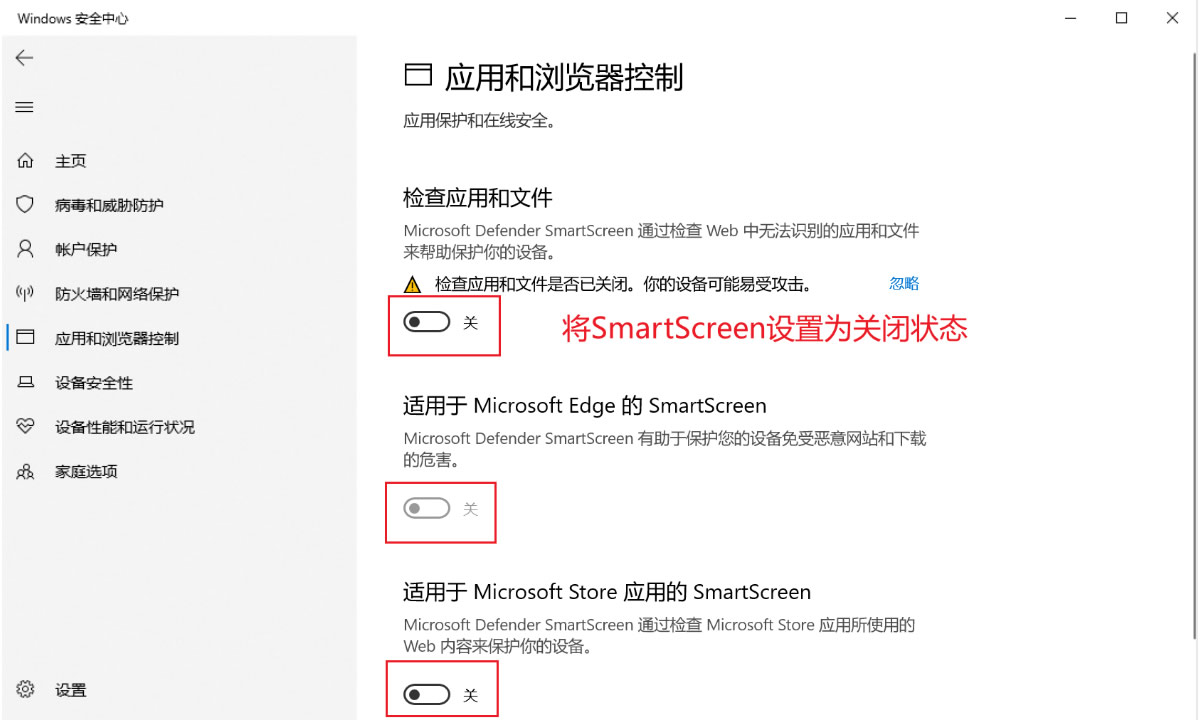
5. Turn off all three SKY SCRM-related options.
Capture every potential customer for your business! SKY SCRM - One-stop intelligent customer service system platform